
In this article
Keep the address, port, and protocol together
Start with the URL printed by the app or local server. A link to http://127.0.0.1:3000/ describes more than a hostname: it also specifies HTTP and port 3000. Changing the scheme, port, or path at the same time makes a comparison harder to interpret.
If you can open the documented URL, keep it as a working reference. A failure at a different name does not by itself justify changing DNS servers, disabling IPv6, or editing the Mac's hosts file.
Record the exact failing URL and the application's exact error. “Connection refused,” a certificate warning, and an HTTP error page are different observations. The next checks should explain the observation you actually have.
A name is not one fixed address family
RFC 6761, section 6.3 reserves localhost for loopback use and describes IPv4 and IPv6 name-resolution behavior. On our test Mac, the built-in resolver returned both ::1 and 127.0.0.1. That is a result for this machine, not a promise about every client library's ordering or fallback behavior.
The IPv6 loopback address is ::1. RFC 4291, section 2.5.3 specifies that packets addressed to it stay within the node. Apple's Network framework also exposes this address explicitly:
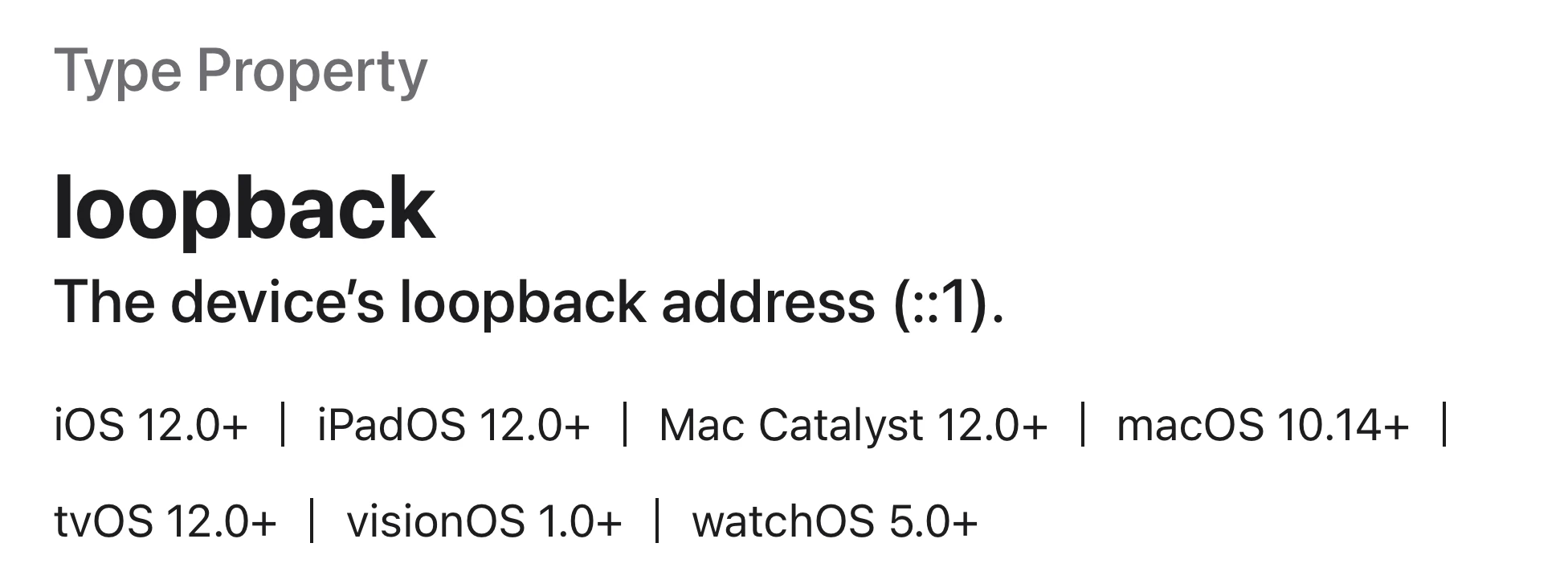
Screenshot: Apple's IPv6Address.loopback documentation, captured November 1, 2026.
The addresses refer back to the machine making the connection. They do not name another device on your Wi-Fi. A server listening at an IPv4 endpoint does not automatically establish that an IPv6 endpoint accepts connections too.
Our controlled two-listener test
We tested this on macOS 15.7.5 on November 1, 2026. We created two small, temporary HTTP listeners using Python sockets, one at a time, bound only to loopback. Each received an operating-system-assigned port. The IPv6 socket explicitly used the IPv6-only option so the comparison had a clear boundary.
We sent requests with the Mac's curl, bypassing proxy settings for this local test. Each listener returned a two-character response and HTTP 200 when reached. We then closed the sockets. No network, hosts-file, DNS, or firewall settings changed.
| Listener in our test | Request to IPv4 address | Request to IPv6 address |
|---|---|---|
127.0.0.1:50850 | HTTP 200 | Connection failed; curl exit 7 |
[::1]:50853, IPv6-only | Connection failed; curl exit 7 | HTTP 200 |
The native lsof output identified the first listener as IPv4 at 127.0.0.1:50850 and the second as IPv6 at [::1]:50853. In both cases, the opposite-family attempt failed even though a server was running on the same Mac.
These port numbers belonged to the experiment. They are not settings you should copy into your app. The useful result is the pattern: the correct machine and a running process are not enough; the request must reach an address and port that process accepts.
We did not test every browser, framework, VPN, or container runtime. This demonstrates a possible cause of a localhost mismatch. It does not establish that address-family selection caused your particular failure.
Check your listener with native tools
First, ask macOS what it returns for the name:
dscacheutil -q host -a name localhost
Then inspect the port used by your app. Replace 3000 below with that port:
lsof -nP -iTCP:3000 -sTCP:LISTEN
Look at the process, address family, and address in the same row. Specific 127.0.0.1 and [::1] listeners describe different endpoints. If no row appears, recheck the app and port; the command only reports what it can see at that moment.
A wildcard result needs its own interpretation. Our guide to 0.0.0.0 on a Mac listener separates binding from reachability. Do not assume an asterisk means every client, interface, and address family will succeed.
For a local HTTP endpoint you own or are authorized to test, compare one request per family:
curl --noproxy '*' --connect-timeout 3 -4 -v http://localhost:3000/
curl --noproxy '*' --connect-timeout 3 -6 -v http://localhost:3000/
The curl manual documents -4, -6, and --noproxy. These commands make requests; they are not merely a listing. Use a harmless endpoint, and avoid publishing verbose output if it contains private headers or response data.
For a literal IPv6 URL, use brackets: http://[::1]:3000/. Keep the port outside the brackets. Test the same scheme and path as the working request.
Interpret the result before changing anything
If only one family succeeds and the listener output matches it, configure the client to use the supported endpoint or consult the server's documented bind-address setting. For local-only work, preserve local-only binding. Opening the server on all network interfaces is a separate decision, not a necessary fix for this test.
If both families connect but one returns a different HTTP response, investigate the application's hostname handling and route configuration. Reaching an HTTP server is different from getting the intended page.
If both fail, check whether the app is running at the expected port. Use the distinction between connection refusal and timeout to describe the failure accurately; neither message alone identifies every possible cause.
If your tool is configured with a filesystem socket path, this TCP comparison may not apply. Unix sockets are another form of local communication.
Keep the working URL, listener row, and two test results together when reporting the issue to the app's maintainer. That small record is more useful than a broad claim that localhost or the Mac's internet connection is broken.


