
I’m thinking of uninstalling it.
Look through the files and folders linked to the app, and open anything you want to check in Finder. If you decide to remove it, you choose what goes to Trash.
VaultDog gives every app a clear passport — declared access, startup behaviour, network activity, storage and privacy controls in one place.
Local-first · Your Mac data stays on your Mac
How it works
We’ve opened Telegram in VaultDog to show you around. Choose a step below.
Select it from your app list. Its page brings together the files it keeps, what runs in the background, and the connections VaultDog has seen.
Open full-size screenshot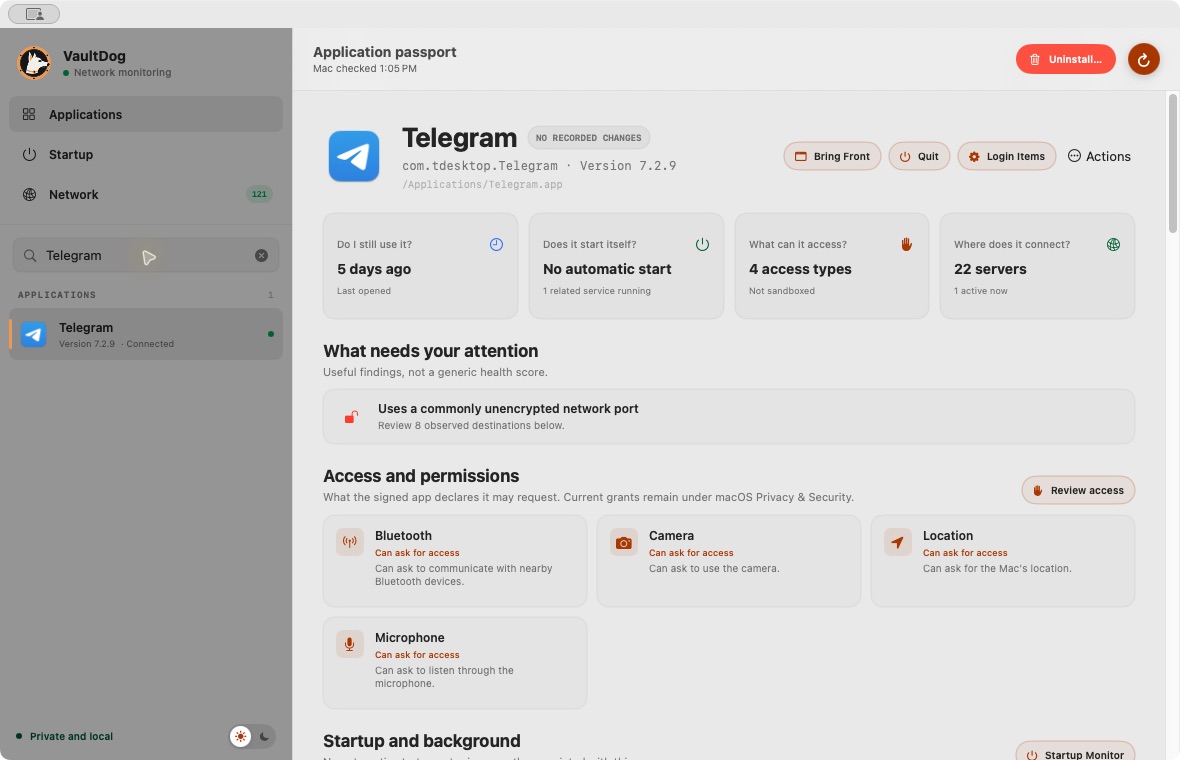
Start with the app you’re wondering about. VaultDog brings its files, background activity, and connections into one place.
Look through the files and folders linked to the app, and open anything you want to check in Finder. If you decide to remove it, you choose what goes to Trash.
See which background items belong to the app and whether they open at login or are running now. A running process doesn’t always mean the app starts automatically.
Check whether the app declares that it may request access. Then open the matching macOS setting to see what you’ve actually allowed.
See the internet addresses an app connects to while VaultDog is watching. Up to 30 days of connection history stay on your Mac, so you can come back and check later.
The current download is for Apple silicon Macs running macOS 15 or newer. An Intel release is not available yet, and no release date has been announced.
macOS may ask for Automation access to read and manage Login Items through System Events, and Local Network access for local-device views. Optional Privacy protection also needs macOS approval for the network extension and content filter. If access is unavailable, some results may be incomplete. You can review permissions in System Settings → Privacy & Security.
No. VaultDog reads signed capabilities and privacy declarations: what an app is built to do or may ask for. Use View permissions to open the matching macOS settings category. macOS remains the source of truth for current permission grants.
App inventories, saved scans, network destinations, and local-device history stay on your Mac. No VaultDog account is required. The app downloads a country database from DB-IP, then looks up observed IP countries locally without sending those addresses to a lookup service. If you choose tracker protection, the app downloads a public domain list from pgl.yoyo.org; your observed destinations are not sent to it.
No. Moving an app or selected related files to Trash requires an explicit review and confirmation. VaultDog does not silently disable background services. Connection blocking is opt-in through Privacy setup and the rules you choose. Related files are evidence to review, not a verdict that they are unnecessary.
The current beta is free to download and use. Features and findings may change as we learn from feedback. Post-beta pricing has not been announced.
Need a hand? Read the setup guide or get in touch.
Download VaultDog and choose an app you use. Look through its files, check what runs in the background, and see where it connects.
Public beta · Apple silicon · macOS 15+ · no cloud account