In this article
In our macOS 15.7.5 test, a 1000-byte file produced an OFFSET of 1000 while the owning process's actual position was 0, 37 and 900. The process had not reached the end in any of those three observations. Here is how to distinguish the fields and avoid turning a diagnostic snapshot into a misleading percentage.
Start with the exact process and regular file
If an app exposes a progress indicator or a task log, start there for its reported progress. Use lsof when your immediate question is which open file a process holds. In Terminal, narrow the snapshot to a known PID and pathname:
/usr/sbin/lsof -nP -a -p 12345 -- "/path/to/file"
/usr/bin/stat -f 'File size: %z bytes' "/path/to/file"
Replace both examples. The -a option combines the PID and path conditions. Check the PID, FD, TYPE and NAME in the result, rather than reading a number from an unrelated row. This article's experiment concerns REG, a regular file, not a network socket.
The lsof manual describes SIZE/OFF as a field that can report size or offset, depending on the file type, available information and implementation. Its documentation also warns that some systems cannot provide accurate or consistent offset information.
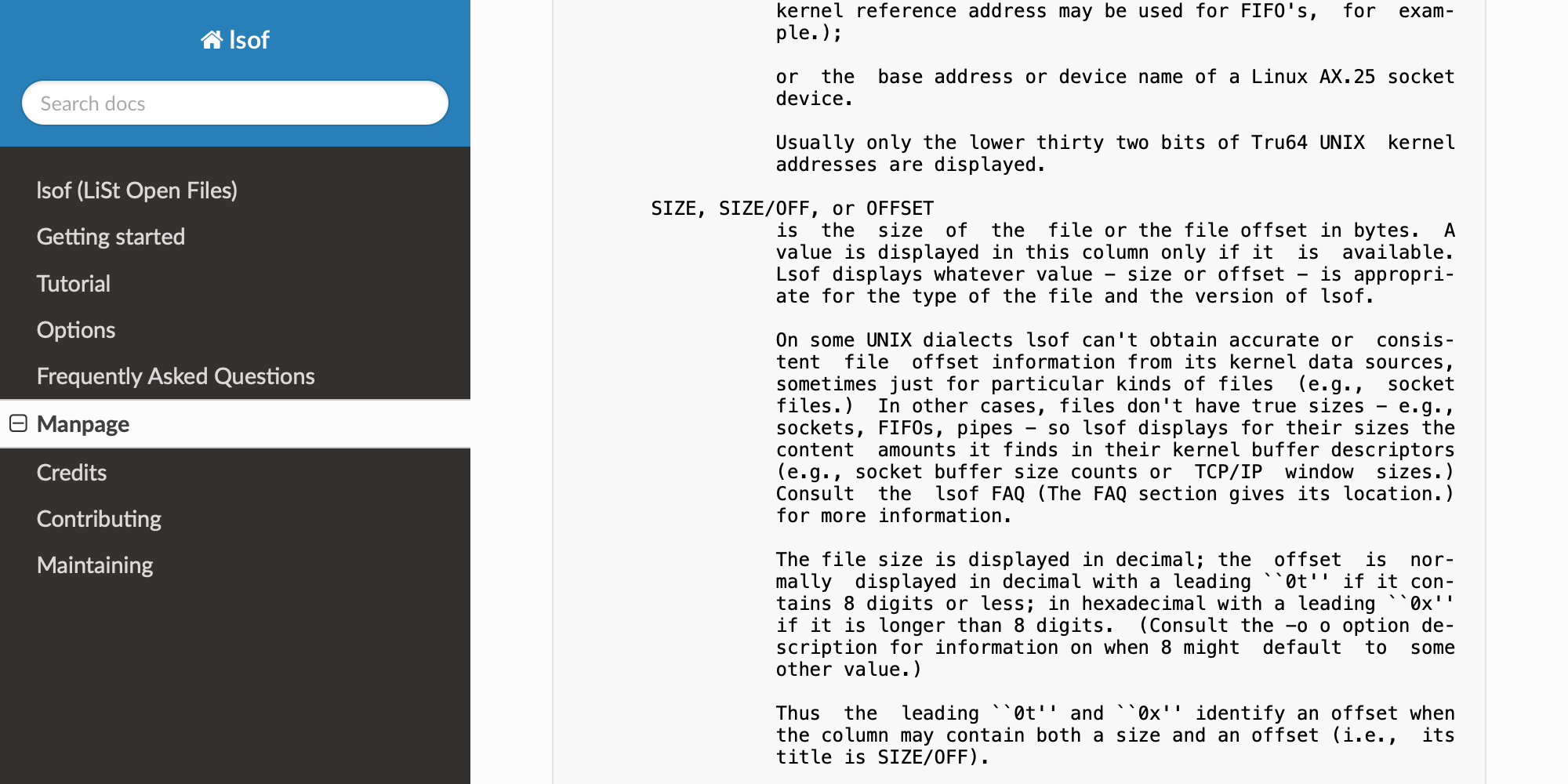
The upstream lsof manual, captured November 24, 2026. Read the availability caveat together with the option description.
Three positions, one misleading value
We tested the Mac's built-in /usr/sbin/lsof on November 24, 2026, using macOS Sequoia 15.7.5, build 24G624. A small owned Python process opened an owned 1000-byte regular file for reading. It held one descriptor and moved that descriptor to three known byte positions.
At each position, the process read its actual kernel offset with os.lseek(fd, 0, os.SEEK_CUR), then ran lsof against only its own PID and descriptor. It checked that position again afterward. No administrator access, unrelated process inspection or system-setting change was involved.
| Actual descriptor position | Default SIZE/OFF | With -o: OFFSET | With -s: SIZE |
|---|---|---|---|
| 0 | 1000 | 1000 | 1000 |
| 37 | 1000 | 1000 | 1000 |
| 900 | 1000 | 1000 | 1000 |
All nine lsof invocations completed successfully. The rows identified the same regular file and read-only descriptor. The file stayed 1000 bytes, and the verified current position did not change during each inspection. The descriptor was closed when the test ended.
The OFFSET entries were bare 1000 values. They did not have the 0t or 0x prefix described for offsets in the manual. More decisively, the owning process independently reported different actual positions.
This establishes a bounded result: the tested built-in lsof output was not a reliable offset measurement for this regular file. It does not establish that every lsof build, macOS version or file type behaves the same way. It also does not identify the exact internal cause. A general manual's caveat is not enough evidence to blame a particular security setting or kernel API.
What the options do—and what the heading cannot prove
The documented intent of -o is to request offsets; -s requests sizes. Use them in separate commands. In our test, -o changed the heading to OFFSET but did not turn the displayed value into the actual position.
Do not fix a discrepancy merely by relabeling the column in a spreadsheet or treating an unprefixed number as bytes processed. Preserve the original command, heading and value together. Comparing with stat can reveal that the number matches file size, but equality alone is not proof of an error: a real descriptor can legitimately be positioned at the end.
That is why our test deliberately used three positions below the end. It provided an independent reference instead of assuming that identical size and offset must always be wrong.
The FD field answers another question. A value such as 3r describes descriptor 3 opened for reading; it does not mean a read is occurring now. See the separate explanation of lsof descriptor modes when interpreting that suffix.
Measure progress where it is actually known
If you own the program, measure the work inside it. Python's official os.lseek reference documents seeking relative to the current position with SEEK_CUR. For a seekable descriptor owned by that process, a zero-distance request returns its current offset. A descriptor number copied from another process is not a handle you can pass to your own process's os.lseek.
Even a correct offset is only a position. A program can seek forward without reading the skipped bytes, revisit earlier content or read ahead into a buffer. “Position divided by length” is a meaningful completion estimate only when the program's workflow makes it one. Count processed records or completed work units if that is what your task actually promises.
For an app you do not control, prefer its own status and logs. Activity Monitor can help you observe broader process activity, but a disk counter does not establish how far that app has processed this one document. Avoid escalating privileges or disabling protections in an attempt to make a column heading trustworthy.
A small checklist for a surprising OFFSET
- Confirm that the PID still belongs to the intended process. A short lsof command name can be truncated.
- Verify the path, file type and descriptor before comparing values.
- Read size independently with native
stat; record the lsof option and complete value, including any prefix. - If you control the process, compare against its own measured position. Otherwise, leave the actual offset unknown.
- Use application-level evidence for progress, and keep an open-file snapshot separate from a history of reads or writes.
This distinction also matters when diagnosing a deleted file that is still open. Finding an open handle can explain why a resource remains in use. It does not tell you that a task is finished or that stopping the process is safe.