In this article
The uppercase letter matters. -I changes the HTTP method; lowercase -i adds response headers to the normal output. They are not two spellings of “show me the headers.”
Choose the request you actually want to test
| Command option | Request in this simple case | Output |
|---|---|---|
-I | HEAD | Response headers, no response body |
-i | GET | Response headers followed by the body |
-D - -o /dev/null | GET | Headers displayed; downloaded body discarded |
These examples assume a single URL without options that select another method. Adding upload, form, or custom-request options changes the question again.
For an ordinary page, open Terminal and run /usr/bin/curl -q -sS -i 'https://example.com/', replacing the example address with the exact public URL you are investigating. The built-in executable makes the tested curl installation explicit. -q, placed first, skips curl's default configuration file; it does not erase proxy environment variables or copy your browser's session.
Then compare with /usr/bin/curl -q -sS -I 'https://example.com/'. Keep the scheme, hostname, path and query identical. Testing the homepage with one command and a download endpoint with the other is not a method comparison.
Read 405 as a method-specific response
The HTTP standard defines HEAD as a GET-like request whose response has no content. It also defines 405 as a method that is known but not allowed for the target resource. A conforming 405 response includes an Allow field listing supported methods. See RFC 9110's HEAD definition and its 405 definition.
Look for a line such as Allow: GET. That is useful evidence about the responding resource. If the header is absent, do not invent its contents or conclude that every endpoint on the host rejects HEAD.
The curl project explicitly notes that some servers deny HEAD while accepting other methods in its HTTP scripting guide.
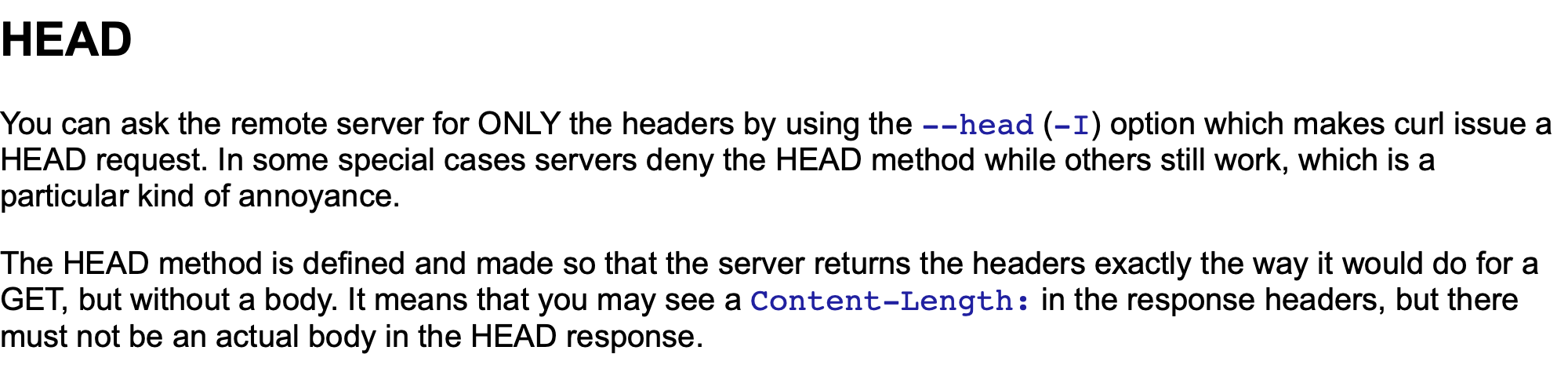
Screenshot: curl's HTTP scripting guide describes the HEAD distinction. Captured November 25, 2026; cropped to the relevant section.
Receiving an HTTP status is different from failing before an HTTP response exists. A refused connection or timeout needs a different investigation; our guide to connection refused versus timeout separates those cases. A 405 is not a reason to disable certificate verification.
What our controlled Mac comparison showed
We tested Apple's /usr/bin/curl 8.7.1 on macOS 15.7.5 on November 25, 2026. A temporary server bound only to 127.0.0.1 deliberately accepted GET and rejected HEAD for the same /sample path. It returned a 35-byte text body for GET and Allow: GET for HEAD.
| Test | Server-observed method | HTTP status | curl exit status |
|---|---|---|---|
-I | HEAD | 405 | 0 |
-i | GET | 200 | 0 |
-D - -o /dev/null | GET | 200 | 0 |
-I --fail | HEAD | 405 | 22 |
The server log confirmed the requested methods. The two GET checks reached the same handler; discarding the body changed output handling, not the method. We stopped the temporary server after the experiment. No installed app, remote website, certificate setting, or system proxy was changed.
This is a demonstration of one possible explanation, not a diagnosis of your website. The fixture intentionally implemented the mismatch. It does not establish how frequently sites behave this way, identify a particular CDN, or reproduce a signed-in browser session.
The exit-status column also matters: without --fail, curl can complete an HTTP transfer successfully even when the server returns 405. HTTP status and command exit status answer different questions. The curl manual documents --fail and exit code 22.
Show GET headers without filling Terminal with HTML
Use /usr/bin/curl -q -sS -D - -o /dev/null 'https://example.com/' when you want the headers from a normal GET but do not need to keep the response body. Here, -D - sends received headers to standard output; -o /dev/null discards the body locally.
The server still sends that body. This command is not a bandwidth-saving equivalent of HEAD. Use a small, appropriate page rather than a large download merely to inspect a status line.
A redirect adds another distinction. Without -L, curl shows the first response rather than automatically reaching the final page. Inspect the redirect destination before deciding to follow it, and compare the same redirect policy in both tests. A 301 or 302 from one command and a final 200 in the browser need not be contradictory.
If GET still disagrees with the browser
Changing HEAD to GET removes one difference, not every difference. Work through the remaining evidence:
- Confirm the final address. The browser may have redirected to another path or hostname.
- Check whether sign-in is involved. Curl does not automatically inherit the browser's cookies. A public test cannot reproduce an account-only response.
- Compare the connection route. Mac system proxy settings do not automatically configure curl. Keep that separate from the method test.
- Record the actual status and response type. A login page or challenge can return HTML where you expected a download.
- Stop at the evidence boundary. If the request requires a session or application behavior you have not reproduced, report that limit instead of declaring the site broken.
Use HEAD when testing HEAD support is the goal. Use GET when checking whether the resource can be fetched. When only HEAD returns 405, preserve both results and investigate method handling before changing your Mac's network configuration.
Research sources
- Protocol semantics: RFC 9110.
- Native command behavior: curl manual and HTTP scripting guide.
- Original evidence: the dated, owned loopback comparison above; its scope is limited to the stated Mac and curl versions.