In this article
Start with the method that installed the app
For an app installed as a Homebrew cask, the ordinary removal command is brew uninstall --cask CASK_NAME. Replace CASK_NAME with its exact Homebrew token. Use brew list --cask to inspect the installed cask list before choosing a target.
For routine removal, do not add extra cleanup flags merely because they appear in an online example. Decide whether you want to retain settings and data for a later reinstall. If the app was installed another way, start with the developer’s uninstaller or macOS’s supported removal method instead of assuming a Homebrew recipe describes that installation.
Homebrew’s command manual documents both normal uninstall and the optional --zap behavior. It also warns that zap can remove resources shared between applications.
What the extra flag changes
A cask is a maintained installation recipe. Besides an app bundle, it can describe command-line links, helper actions and other installation artifacts. Normal uninstall is therefore not universally equivalent to deleting one .app folder.
The separate zap section describes additional cleanup. Homebrew’s Cask Cookbook explains that these actions are opt-in and can include preferences, caches and shared resources. The recipe’s rules determine the scope; the flag is not a guarantee that every historical file belonging to an app will be discovered.
| Choice | Intended scope | Decision to make first |
|---|---|---|
| Normal cask uninstall | Installed artifacts and declared uninstall actions | Is this the correct installed cask? |
Uninstall with --zap | Normal removal plus the recipe’s zap actions | Do you want the listed settings and app data removed? |
| Vendor’s uninstaller | The vendor’s documented removal workflow | Does the product install components requiring its own procedure? |
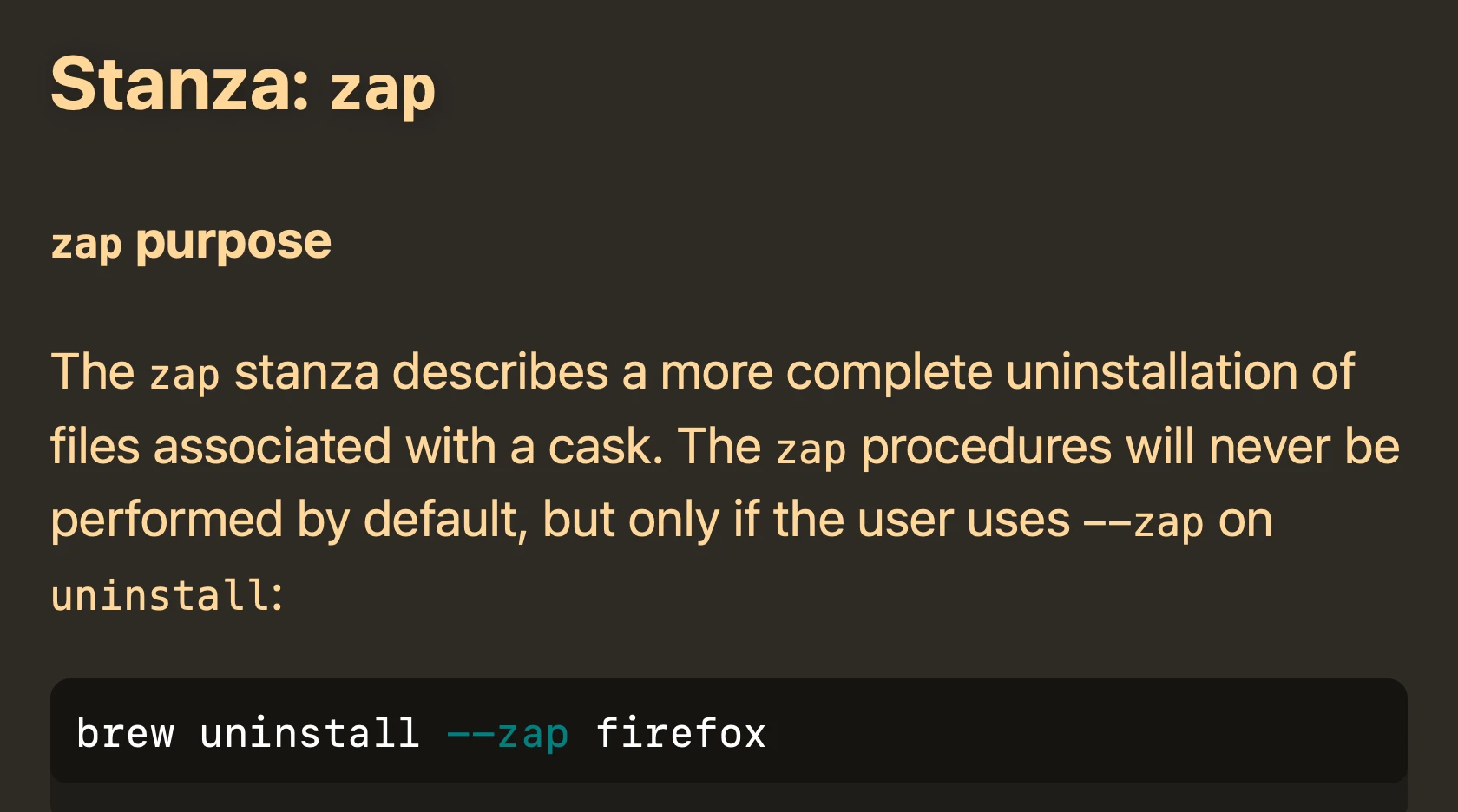
Screenshot: Homebrew’s Cask Cookbook, captured November 27, 2026. The section distinguishes optional zap actions from default removal.
A small preference file is not automatically a problem. An Application Support folder may contain data worth keeping. Size and an app-like name are not enough to decide whether a path is disposable.
What three real cask definitions contain
On November 27, 2026, we inspected Homebrew’s published definitions for Firefox 161.0, Visual Studio Code 1.148.0 and VLC 3.0.24. We saved the API records and corresponding source at commit edce137f98eb.
This was a read-only recipe audit. We did not uninstall those apps, inspect anyone’s personal profile, or measure which paths existed on a particular Mac. The table gives selected examples, not each recipe’s complete removal list.
| Cask | Ordinary removal includes | Selected extra zap targets |
|---|---|---|
| Firefox | App artifact, command wrapper and a quit action | ~/Library/Application Support/Firefox and Firefox caches/preferences |
| Visual Studio Code | App and command-line links; quit and updater launchctl actions | ~/.vscode and ~/Library/Application Support/Code |
| VLC | App artifact, command wrapper and a quit action | VLC Application Support locations, preferences and caches |
The pinned Firefox definition, VS Code definition and VLC definition make the comparison auditable. Recipes can change; review the definition relevant to your removal rather than treating this dated sample as a permanent list.
Two details change the practical decision. First, the VS Code recipe includes a helper-related uninstall action even without zap. Second, the extra targets include substantial app-data directories, not just temporary caches.
Mozilla’s profile documentation explains that Firefox keeps bookmarks, passwords, extensions and settings separately from the program. Microsoft’s VS Code removal guide similarly treats removing user data as a separate clean-uninstall step. Backing up or exporting valued data belongs before choosing broader cleanup.
Inspect the recipe before removing data
Use brew info --cask CASK_NAME to check the package identity and installation information. For the current published definition, the cask’s page on Homebrew’s formulae website links to its source. Read the uninstall and zap sections separately.
The familiar brew cat --cask CASK_NAME command may require the source to exist locally. In our environment, it could not show Firefox’s source because the tap was not present. We used the official published definition instead; installing another copy of an app was unnecessary.
While reading the recipe, record:
- The cask token and the version or source revision inspected.
- Whether an action stops a helper, removes an artifact, or targets additional app data.
- Any whole directories, wildcard patterns or shared locations in the cleanup rules.
- What you need to export or back up before those targets are removed.
Do not interpret an inspection as a dry run of every uninstall script. If the current and installed definitions differ, or the recipe invokes a procedure you do not understand, resolve that uncertainty before removing data.
Choose the smallest removal that meets your goal
If you want the app gone but expect to reinstall it, ordinary uninstall is the starting choice. If you deliberately want the listed personal settings and support data removed too, review those targets and backups before choosing brew uninstall --cask --zap CASK_NAME.
Avoid adding --force by habit. Acting on a cask that Homebrew no longer records as installed is a separate cleanup situation, not proof that every similarly named file belongs to it.
A leftover file also does not prove that a removal failed. Installer receipts, saved credentials and app-created documents have different lifecycles. Our guides to Mac package receipts and passwords after app removal explain those boundaries.
After removal, verify the result you actually wanted: the app is absent, the relevant helper is handled, or the deliberately selected data is removed. A universal “all traces gone” claim goes beyond what a cask recipe or this audit can establish.