In this article
If your actual goal is to change access to a particular document, select it in Finder and choose File → Get Info → Sharing & Permissions. Inspect that item's current access first. Changing a default for future files is a different job from adjusting one file you already have.
Check the file and the process separately
A file's permissions and a shell's umask are two different pieces of evidence. In Terminal, umask with no argument displays the current mask; it does not change it. For one existing item, use stat -f '%Lp %N' '/path/to/file', replacing the quoted path with the file you mean.
The zsh project's builtin command reference documents the read-versus-set behavior. Supplying a value, such as umask 077, changes the current shell's mask. It does not report the mask of every application running on your Mac.
Apple's umask guide explains the usual 022 starting point and the different scopes in which administrators can configure a mask. Those system-wide configuration steps are unnecessary for checking why an existing file stayed the same.
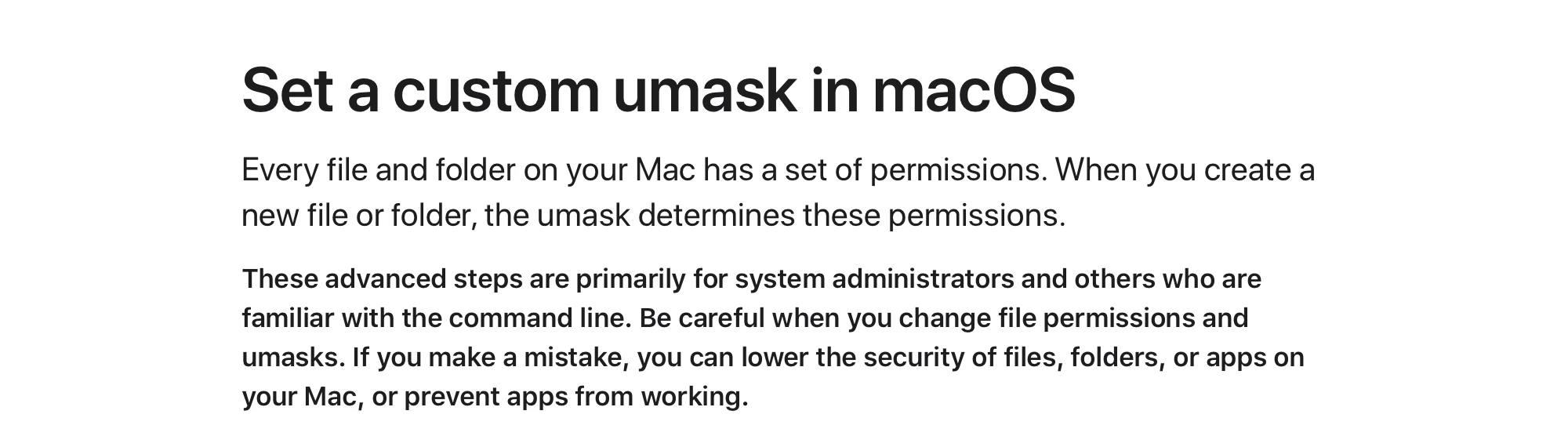
Screenshot: Apple Support frames umask around creating new files and folders. Captured November 26, 2026.
A contained old-versus-new test
We tested the boundary on macOS 15.7.5 on November 26, 2026, using the built-in zsh and fresh local fixtures. The test changed only the mask inside a child shell. It did not change launchd configuration, edit startup files, or modify existing user documents.
The sequence was deliberately small:
- Set the test shell's mask to 022, then create
before.txtandbefore-dir. - Change that same shell's mask to 077.
- Run
touchon the already existingbefore.txt, createnew.txt, and createnew-dir. - Read all four modes with the Mac's
statcommand.
| Item | When created | Observed mode after the change |
|---|---|---|
before.txt | Under 022 | 644 |
before-dir | Under 022 | 755 |
new.txt | Under 077 | 600 |
new-dir | Under 077 | 700 |
Touching the old file again did not turn it into a newly created file. That is the useful comparison: the same process, two creation times, and different resulting modes. These are observed POSIX modes, not a complete audit of every possible access-control layer.
To reproduce the central file comparison, use a disposable child shell and an empty temporary directory:
- Start the child shell with
/bin/zsh -f. - Run
demo_dir=$(mktemp -d), thencd "$demo_dir". Stop if either command reports an error. - Run
umask 022, thentouch before.txt. - Run
umask 077, thentouch before.txt new.txt. - Read the modes with
stat -f '%Lp %N' before.txt new.txt. Runpwdto record the test directory. - Run
exitto return to your original shell.
The changed mask belongs to the child shell. The output should show 644 before.txt and 600 new.txt for this ordinary local-file case. The directory remains available for inspection; remove only that test directory when finished. Do not substitute a folder containing valuable documents.
Why the setting has that boundary
Apple's archived umask system-call manual describes a process-level creation mask. It clears selected permission bits from the mode requested by a creation operation. Child processes inherit the calling process's mask.
That explains two common surprises. First, there is no instruction here to revisit every inode already on disk. Second, another Terminal session or an app launched through a different process path need not be using the mask you just set in this shell.
Ask which process created this particular file. A value printed in Terminal is evidence about that shell, not proof about Finder, a background helper, a remote file server, or a running editor. If the unexpected result comes from an app, repeat the observation with a new throwaway file created by that same app and record where it was saved.
A save operation also deserves care: “same filename” does not guarantee “same file object.” An editor may create a replacement and rename it over the old path, or explicitly set permissions. Our touch test does not establish how every editor saves.
A mask restricts requested bits
Do not treat umask as ordinary decimal subtraction or a command that grants permissions. Typical file creation starts from a requested 666 mode, while a new directory commonly starts from 777. Removing the 022 bits gives the familiar 644 and 755 results.
We also created a fresh file under 023. Its observed mode was 644, not 643. The execute bit that the final 3 would remove was not present in the file's requested mode to begin with. This small counterexample helps explain why subtracting the digits is an unreliable general rule.
An application can request a more restrictive initial mode or change permissions afterward. Therefore, a permissive mask does not guarantee a permissive final file. For the directory-specific meaning of the execute bit, use our folder read-versus-execute guide.
Choose the next check from the result
If an old file is unchanged but a new test file matches the mask, the creation rule is behaving as demonstrated. Decide whether the old file actually needs an access change, and make that decision for the specific item.
If a new file differs, identify the creating app, process context and storage location before changing global defaults. A local shell experiment does not establish the behavior of a network share or a filesystem with different permission handling.
If the numeric mode looks right but access still fails, inspect the other evidence. A plus sign in a listing can indicate an ACL; an at sign indicates extended attributes. Our guide to + and @ in Mac permissions separates those markers. A locked file and a read-only file also need different checks.
Keep the final note concrete: which item, which creator, whether it was newly created, the shell mask you actually observed, and the resulting mode. That is enough to distinguish an unchanged existing file from a creation-default problem without a blanket permission reset.