In this article
If your goal is narrower—finding an advertised printer, file share, or another Bonjour service—Terminal's built-in dns-sd is useful. First decide whether you need a service name, a host address, or evidence that a device is joined to a network. Those questions need different records.
Browse the service you need
For example, dns-sd -B _ipp._tcp local. browses instances of the IPP printing service in the local domain. It does not ask for every printer model, every device, or every service type. A device advertising a different service is outside that specific query.
The command continues watching for changes. Press Control-C to stop it; a quiet terminal is not necessarily a hung command. The installed dns-sd -H help identifies -B as browsing service instances and -L as resolving an instance.
If you do not know the relevant type, dns-sd -B _services._dns-sd._udp local. browses the special service-type enumeration name. Interpret its output as types you can investigate, not a count of computers. Then browse a concrete type reported by that query.
Apple's Bonjour concepts guide describes discovery in terms of named services. That is the right unit for reading the listing.
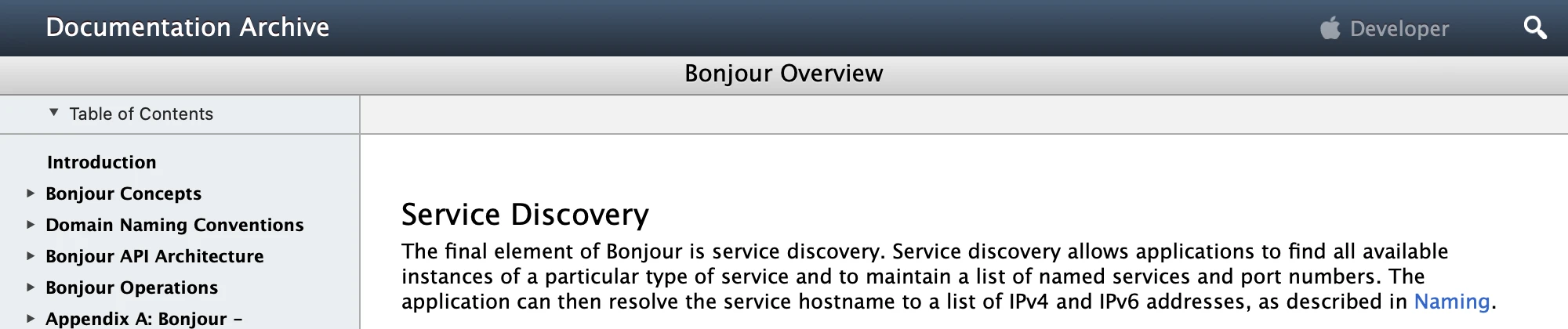
Screenshot: Apple Developer's Bonjour overview explains service-oriented discovery. Captured November 26, 2026.
Keep four names separate
| Layer | Example | What it identifies |
|---|---|---|
| Service type | _ipp._tcp | A kind of service |
| Service instance | A name in the Instance Name column | One advertised instance |
| Target host and port | Result of resolving that instance | The advertised endpoint |
| Physical device | A particular printer or computer | Hardware requiring further identification |
An instance name can look like a device name. That is a convenience, not a promise that each row maps to one unique physical box.
To resolve a name from the printing example, run dns-sd -L 'Exact Instance Name' _ipp._tcp local., replacing the quoted name with the actual instance you observed. Preserve the type and domain from your browse result. A similarly spelled name under another type is a different lookup.
RFC 6763 specifies the relationship: browsing returns instance names; an SRV record supplies a target host and port, while TXT records carry additional information. Resolving an advertised endpoint still does not perform an application-level connection to it.
Two advertisements from one Mac
We tested this on macOS 15.7.5 on November 26, 2026. We registered two deliberately synthetic services, VaultDog Alpha and VaultDog Beta, under a private test type, _vdexample._tcp. Both registrations ran on the same Mac using the tool's local-only interface.
The registrations advertised different ports. We did not start servers on those ports, expose the test to the LAN, or enumerate personal devices.
| Observation | Alpha | Beta |
|---|---|---|
| Browse result | One instance row | One instance row |
| Resolved target | localhost. | localhost. |
| Advertised port | 54321 | 54322 |
| Separate physical device established? | No | No |
The local-only behavior matters: this is a controlled counterexample to “two rows mean two devices,” not a measurement of discovery coverage on Wi-Fi.
You can reproduce it in three Terminal windows. In the first, run:
dns-sd -lo -R 'VaultDog Alpha' _vdexample._tcp local. 54321
In the second, run:
dns-sd -lo -R 'VaultDog Beta' _vdexample._tcp local. 54322
In the third, browse the test type:
dns-sd -lo -B _vdexample._tcp local.
You should see both instance names. Stop that browse with Control-C, then resolve each name with -lo -L, keeping _vdexample._tcp local. as the type and domain. In our test, both resolutions named localhost. and their respective ports. Finally, press Control-C in the two registration windows to end the advertisements.
A registration is an announcement. It does not create the server it describes. That is why neither a browse row nor the phrase “can be reached at” in the tool's resolution output should be recorded as proof of a successful connection.
What an empty result can mean
An empty _ipp._tcp browse says that you have not observed a matching instance through that query in that context. It does not tell you which of several explanations is responsible.
Use this short checklist before changing settings:
- Check the type. Does the device or app actually advertise the service you queried? Consult its documentation rather than assuming every device supports Bonjour.
- Check the domain and network context. A local browse concerns the discovery context available to this Mac. Guest isolation, separate network segments and discovery gateways can change what is visible.
- Check the service itself. Is the relevant app, sharing feature or printer service running and intended to advertise? A powered-on device need not publish the service you chose.
- Check the intended endpoint independently. If you already know the device's address, use its documented interface or the relevant app. A successful direct connection and a missing advertisement are compatible observations.
Bonjour discovery and local multicast are related, but the browse output is not a packet trace. Our port 5353 guide explains the transport and multicast-address side separately. A .local host name also has a narrower meaning than “one row in every discovery list”; see the local hostname guide.
Choose evidence that answers the hardware question
For a device inventory, read the router or access point's own documentation. Its current wireless associations, DHCP leases and remembered devices may also represent different things. Check the scope and timestamp rather than treating any page titled “devices” as infallible.
Do not replace a missing Bonjour row with the assumption that arp -a lists everyone. It displays IPv4 address mappings known to the Mac. Our ARP cache guide covers why that list is incomplete for a hardware inventory.
A useful troubleshooting note keeps the layers visible: service type, instance name, domain, resolved endpoint, observation time, and the separate connection check you performed. Record “two advertised instances” when that is what you measured. Count physical devices only when the additional evidence supports that conclusion.