
In this article
Start by reading the whole entry
A port number alone is an incomplete explanation. Read the transport, local endpoint, remote endpoint, process name and observation time together. In particular, distinguish a socket listening on your Mac from a packet or connection record with a specific destination.
For a native, read-only socket check in Terminal, run:
lsof -nP -iUDP:5353
The flags retain numeric addresses and ports. This asks about UDP sockets involving port 5353; it is not a packet capture or a history of every discovery message. Depending on visibility and process ownership, you may see no matching rows. Empty output does not prove that Bonjour is disabled or that no device is available.
A row such as *:5353 describes a local wildcard endpoint. It does not show a remote server named *, and it does not by itself prove that your router exposes that socket to the internet. For interpreting socket states separately, see why UDP has no ESTABLISHED state.
What the address and port mean
Multicast DNS, or mDNS, lets participating devices answer local naming questions without sending each question to a conventional central DNS server. RFC 6762 defines the familiar IPv4 and IPv6 multicast destinations and UDP port 5353. These multicast addresses identify a group of participants, not a particular printer, router or company.
| Entry you see | Useful interpretation | What it does not establish |
|---|---|---|
224.0.0.251:5353, UDP destination | IPv4 mDNS multicast group | Identity of one remote device |
[ff02::fb]:5353, UDP destination | IPv6 link-local mDNS multicast group | An overseas server or country |
*:5353, local UDP endpoint | A socket bound on local addresses | A specific destination or completed exchange |
| Port 5353 without transport or endpoint roles | Incomplete evidence | That the traffic is definitely Bonjour |
The IPv6 address is an alternative form of the same protocol’s local multicast destination. It is different from an individual device’s fe80:: address; our IPv6 address and interface guide covers that separate notation.
Apple’s network port reference associates UDP 5353 with mDNS and lists Bonjour, AirPlay, Home Sharing and printer discovery among its uses. Seeing the number is therefore unsurprising when devices are looking for nearby services.
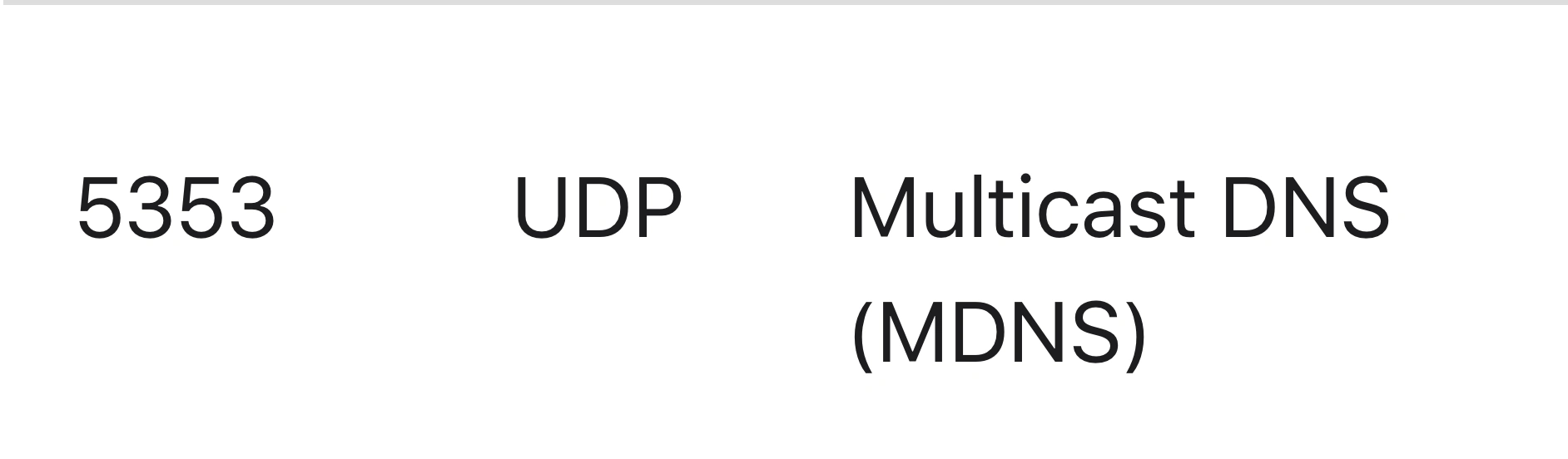
Screenshot: Apple’s port reference, the port, transport and service cells for UDP 5353. Captured November 5, 2026. The table identifies a conventional use; it does not authenticate a particular packet.
Discovery is not the later conversation
Finding a service and using it are separate steps. A discovery result can tell an app where a service is available. The app can then communicate with that service at another address and port. Do not expect every packet involved in printing, streaming or sharing to remain on 5353.
Apple’s mDNSResponder project documentation describes multicast naming and service discovery. This helps explain why a background system process can participate even when no obvious “Bonjour app” is open.
A process name alone still does not identify which foreground action caused a particular lookup. If your question is about one app, compare observations while repeating one action in that app, such as opening its printer selector. Record a consistent time window. Treat the timing as a clue, not conclusive attribution for every concurrent system message.
Likewise, a visible service is not a census of all devices. Sleeping equipment, different subnets and network policy can affect what appears. The limits described in why ARP misses some local devices are another reason to avoid turning a partial local view into an inventory claim.
A five-step check before changing a rule
Use this checklist on one entry rather than collecting a large, unexplained connection count:
- Confirm UDP and the endpoint roles. Copy the actual destination separately from the local address. A listening socket and outbound multicast are different observations.
- Match the exact group address. The two addresses above support the mDNS interpretation. A different destination needs its own explanation even if its port is 5353.
- Record the interface or network context. Note whether the Mac is on its ordinary Wi-Fi, a guest network or a VPN. Avoid guessing that every visible interface reaches the same neighbors.
- Reproduce one expected action. Open the relevant discovery list in the app and note whether its expected printer or receiver appears. That tests a useful outcome; a packet count alone does not.
- Write down the remaining uncertainty. Keep process attribution, service identity and later traffic separate. If the problem persists, these distinctions help the network administrator or app maintainer investigate it.
This is a diagnostic checklist, not a claim that we captured your network or verified a particular device. The address comparison is grounded in the protocol specification; the observations still have to come from your Mac.
Local does not mean automatically trusted
Local-link scope describes where this multicast exchange operates. It is not an identity check, an encryption guarantee or a verdict about the software using it. Apple discusses the need to treat discovery information appropriately in its Bonjour security guidance.
Blocking discovery traffic can interfere with finding nearby services, while allowing it does not guarantee that subsequent service access will work. On managed networks, use the administrator’s configuration and support process instead of disabling security controls to make a device appear.
Ordinary multicast discovery also has network boundaries. Apple’s AirPlay deployment guidance explains the same-subnet issue and network arrangements that can make services discoverable across it. Therefore “local multicast” should not be expanded into a promise about every configured network path.
For this particular address pair, the useful first conclusion is modest: it fits a standard local discovery mechanism. Investigate unexpected destinations, unexplained process ownership or a broken app workflow as separate questions. Neither an unfamiliar-looking address nor a familiar port supplies the whole answer.


