
In this article
The word quarantine sounds like a diagnosis. In this context, you may encounter it as a name in Terminal output, an app inspection report, or a troubleshooting guide. That label is different from macOS telling you that an application contains malicious software. Confusing the two can lead either to needless alarm or to removing a useful security signal before understanding the problem.
Start with the message you actually saw
If macOS has displayed an alert, preserve its exact wording. Do not replace the message in your notes with “quarantined,” because that loses the distinction you need to investigate.
Apple’s guide to safely opening apps describes several different situations: a first-open confirmation for an internet download, an inability to check an app for malicious software, an unverifiable developer, and an app blocked or moved to Trash because of detected malware. A damaged or modified app is another possible finding.
Those messages deserve different responses. A normal download confirmation is not a detection report. Conversely, finding an ordinary-looking attribute on an app does not cancel an explicit malware warning. If the alert says the app will damage your computer or has been moved to Trash, stop and follow Apple’s guidance for that alert; do not use an attribute-removal tutorial as the next step.
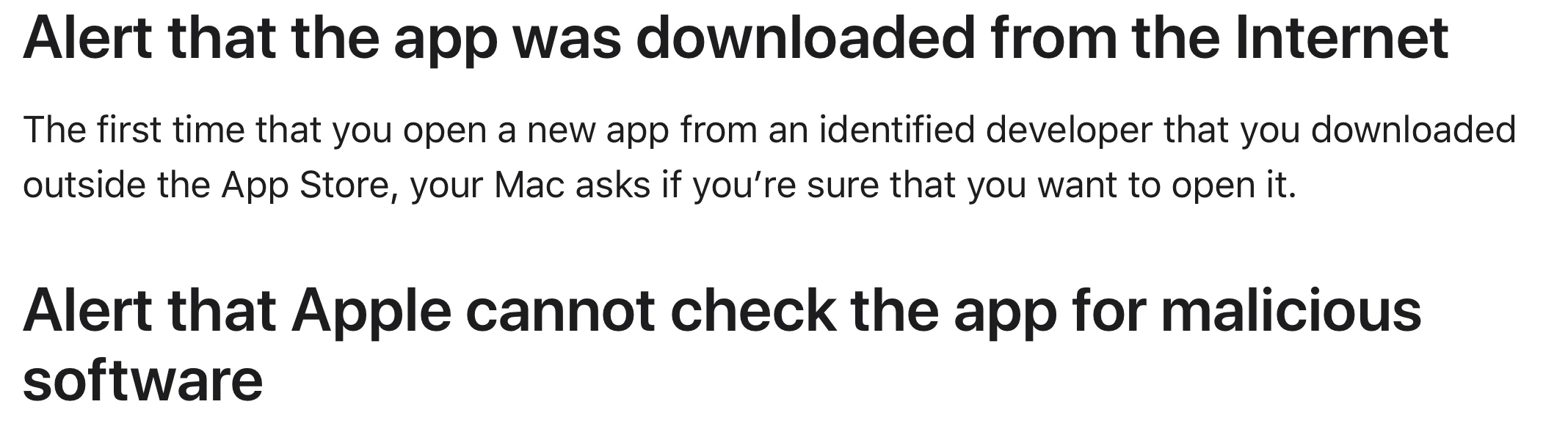
Screenshot: Apple Support separates download confirmation from security-check warnings. Captured October 21, 2026.
Why a legitimate download can have this attribute
Extended attributes are metadata attached to a filesystem item, separate from its ordinary contents. The name com.apple.quarantine belongs to that metadata layer. It is not a list of malicious instructions found inside the file.
Apple’s Developer ID testing instructions explicitly use a quarantined copy of a developer’s own app to test first-launch behavior. Downloading that copy through Safari or Mail is part of the documented test. That example establishes a useful boundary: legitimate software can participate in the quarantine mechanism.
This older developer page is useful for that narrow point. Its historical description should not be treated as a complete specification of current Gatekeeper behavior or a promise about when an attribute disappears.
Modern Gatekeeper documentation describes several checks and provenance protections. A single attribute is not a substitute for that larger assessment. Equally, the absence of the attribute is not a safety certificate. You have observed one item’s metadata, not completed an audit of its origin or behavior.
Inspect one copy without changing it
First locate the item in Finder. Note whether you selected an installer, a disk image, or the installed .app. These are separate filesystem objects. Reading a DMG’s attribute does not automatically tell you the attribute state of every app installed from it.
If you need the attribute value, open Terminal and use the built-in read-only form:
xattr -p com.apple.quarantine "/Applications/Example.app"
Replace the quoted example with the real path. You can type the command through its final space and drag the intended item from Finder into Terminal to insert its path. Do not execute a command copied from an unfamiliar download or add sudo to work around an error.
The -p option prints the named attribute, as documented by man xattr on your Mac. It does not launch the app or remove the attribute. A returned value shows that this attribute could be read on that selected item. An attribute-not-found result shows that the requested attribute was not found there. A missing-file or permission error is a failed inspection, not either of those conclusions.
There is no need to decode every flag or identifier to answer the initial question. Preserve the result with the path and time instead of interpreting an unfamiliar hexadecimal value as a malware score.
Use this evidence checklist before deciding what to do
This original worksheet keeps four questions separate. It is a diagnostic aid, not a claimed malware experiment or a safety rating.
| Observation | What you can conclude | Useful next step |
|---|---|---|
| Attribute value printed | This item has readable quarantine metadata | Check the download source and any actual alert |
| Attribute not found | That named attribute was not found on this item | Confirm the selected copy; avoid drawing a safety conclusion |
| macOS shows a security warning | macOS reported the specific condition in the message | Preserve the wording and follow the matching Apple guidance |
| App name or developer looks unexpected | Identity needs further investigation | Compare the intended app, version, and official source |
Write down the visible filename, full path, app version if available, source of the download, exact alert, and inspection result. These fields make a support request more useful than a screenshot of the word “quarantine” alone.
For example, suppose a report names a DMG in Downloads while the app you use is in Applications. Do not infer that the installed app has been diagnosed as malicious. Check which object the report actually inspected. If a later warning names the installed app, preserve that as a separate observation rather than merging both into one story.
Keep related checks separate
A signature answers different questions. Displaying and verifying a Mac app’s code signature can provide identity and integrity evidence, but neither result overrides a macOS warning or guarantees desirable behavior.
An unusual running path is another separate issue. If you see AppTranslocation, use the guide to Gatekeeper’s randomized runtime paths. Removing quarantine metadata is not required for that guide’s normal installation and inspection workflow.
Finally, download metadata does not describe your privacy grants. A file attribute cannot tell you whether you allowed the app to access your camera or documents. Entitlements and current macOS permissions require their own interpretation.
The practical goal is to keep the evidence intact: identify the exact copy, read the real warning, and choose the next check that answers the remaining question. An unfamiliar metadata name alone is not a reason to erase it.


