
In this article
A second filename is not a promise that another full copy of its contents occupies your SSD. It is also not a reason to remove the original: the two files may serve different purposes even when they currently contain identical bytes.
Check the files and their volume first
Select each file in Finder and choose File → Get Info. Record its location and size. Make sure you are comparing the actual files, rather than a folder, an app bundle, an alias or a cloud item that is not fully downloaded.
Open Disk Utility, select the volume containing the files and check its format. This article concerns APFS file clones. It is not about cloning an entire drive, and the same reasoning should not be applied automatically to an exFAT external disk.
Keep three questions separate while investigating:
- Are these two paths useful to you or to the app that manages them?
- Do the files currently contain the same data?
- How much physical storage would removing one actually release?
The first is a workflow decision. The second can be checked by comparing content. Neither answer, on its own, supplies the third. For the broader distinction between an app bundle and its related storage, see why Mac app sizes differ between tools.
What an APFS clone shares
Apple’s current About Apple File System documentation explains that clones make inexpensive copies on the same volume. Their unchanged data blocks remain shared; changes are written separately.
The important boundary is between a file’s identity and the storage holding its contents. A clone has its own identity. Editing one does not mean the corresponding edit must appear in the other. Apple also documents this behavior in the Mac’s built-in clonefile(2) manual: subsequent writes are private to the modified file.
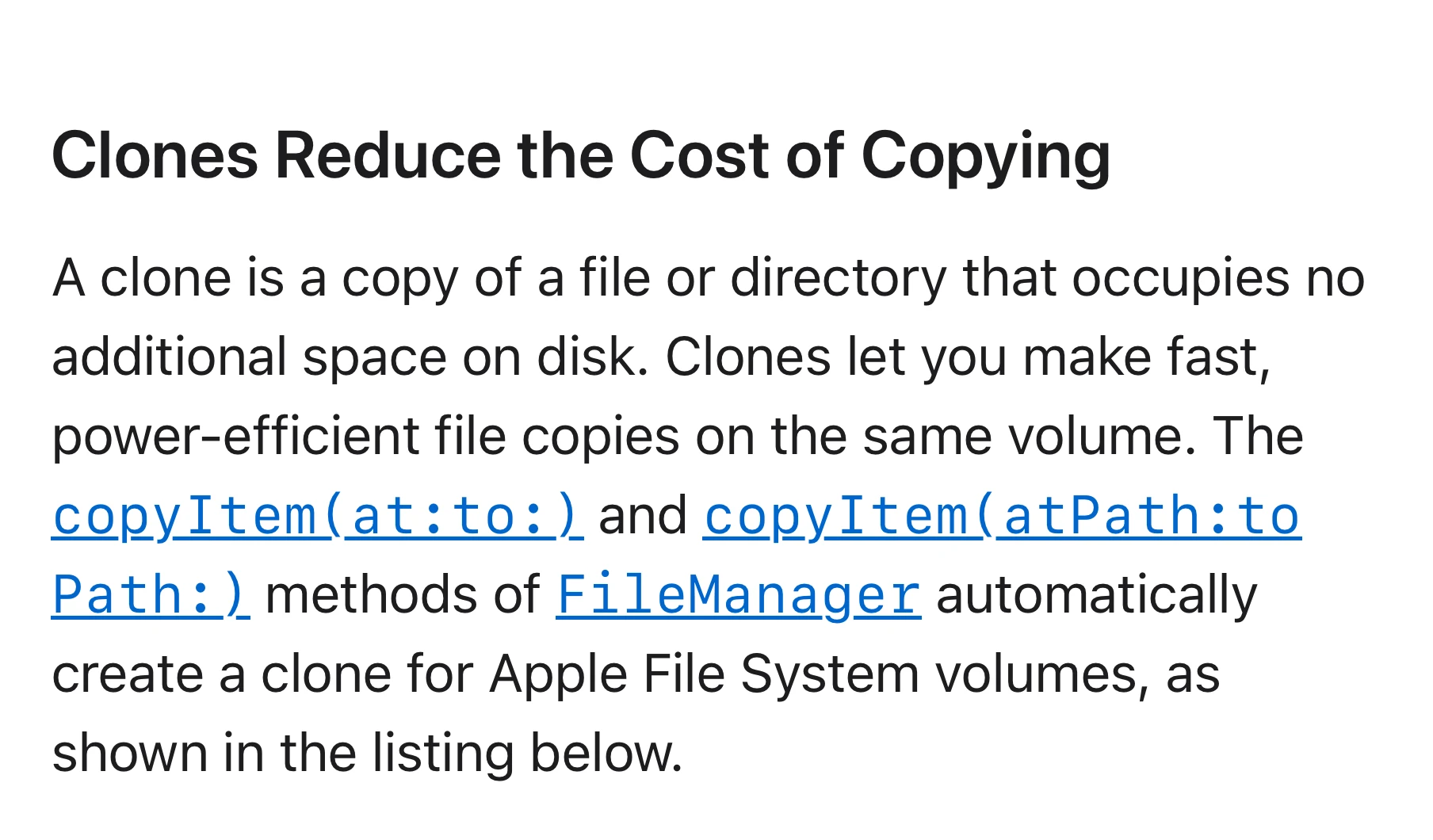
Source: Apple Developer — About Apple File System, captured October 30, 2026. This is documentation, not a measurement of your files.
Apple’s disk-usage guidance for developers identifies APFS cloning as a way to avoid a full duplicate allocation when copying through the relevant API. That does not establish that every pair of matching files was created that way. Two separate downloads can contain the same bytes without having the same cloning history.
A measured example: two 8 MiB files
We tested native clonefile() on macOS 15.7.5 on October 30, 2026. The source was an 8 MiB random file created solely for this test. The clone operation succeeded on the same volume. No personal documents were used.
Before changing anything, both files had the same SHA-256 digest, but their inode numbers differed. Each had a link count of one. Then we changed one byte in the clone and recalculated both digests.
| Observation | Original | Clone |
|---|---|---|
| Logical length | 8,388,608 bytes | 8,388,608 bytes |
| File identity | One inode | Different inode |
| Initial content digest | Same digest | Same digest |
| After editing the clone | Digest unchanged | Digest changed |
| Reported allocated blocks after edit | 16,384 × 512 bytes | 16,384 × 512 bytes |
The last row is the trap. The native du -k command also reported 8192 KiB for each file after the edit. Adding those two per-file figures gives 16 MiB, but that sum does not establish 16 MiB of exclusively owned physical data. We know how these files were created: they began as a successful copy-on-write clone pair.
This experiment demonstrates independent file identity and edits, alongside the limitation of adding per-file allocation figures. It does not measure an exact number of reclaimable bytes. We did not subtract whole-disk free-space readings: unrelated writes, filesystem metadata and other activity would make that an unreliable attribution method.
It also does not prove that any two files elsewhere on your Mac are clones. Matching hashes establish matching contents at the time of the comparison, not shared physical extents.
Clones, hard links and aliases answer different questions
Do not use “duplicate” as though it identified one filesystem mechanism.
| Item | What to keep in mind |
|---|---|
| Independently copied file | Same content can exist without shared blocks |
| APFS clone | Separate file identity; data may remain shared until changed |
| Hard link | Another directory entry for the same file identity |
| Finder alias | A reference used to locate another item |
Our clone test’s different inodes and link counts of one distinguished that pair from two hard links to the same file. Those observations were useful because we also controlled the operation that created the pair.
An alias is a separate question again. If Finder identifies the item as an alias, use the alias-versus-original checklist before interpreting its size or removing anything.
Why deleting one copy may reclaim little
When another file still refers to shared data blocks, removing one file does not make those blocks unnecessary. A partially edited clone may have some unique data and some shared data. Its displayed length still does not tell you the size of the unique portion.
Other explanations can coexist. A file may still be in Trash. An app can retain an open handle after a file is unlinked; see deleted files that remain open. APFS snapshots are another separate retention mechanism. Do not diagnose all missing free space as cloning merely because the volume is APFS.
Use a small evidence checklist before deciding what to remove:
- Identify the keeper. Open or otherwise verify the copy you actually need, and keep a backup appropriate to its value.
- Check ownership of the workflow. App libraries, projects and document packages may depend on paths that look redundant in Finder.
- Record the measurement. Note whether the number means logical length, allocated blocks or volume free space.
- Avoid a savings promise. A duplicate finder’s content match does not automatically establish reclaimable storage.
- Choose removal for a reason. Delete a copy because you no longer need it, not as an experiment to discover whether it shares blocks.
If space remains unexpectedly low, investigate the relevant retention mechanism before deleting more copies. An APFS clone can be independent as a file while sharing part of its storage.


